Visiting websites over an SSL connection
· One min read

This post explains how to use the Secure Connection option in the Mudfish browser extension when visiting websites.
If anything in this post is incorrect or unclear, please contact us on the Mudfish Forums.
Why use Secure Connection?
Some websites are blocked by warning.or.kr. DNS, HTTP requests, and HTTPS SNI can all be inspected. Encrypting the connection helps bypass this filtering.
Enable Secure Connection
After installing the Mudfish browser extension, you can access its icon and settings as shown below.
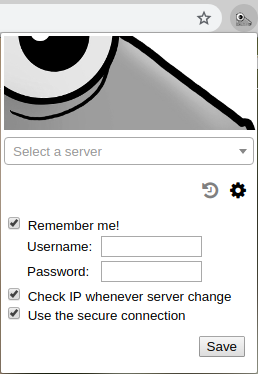
- Click the gear icon.
- Check Use the secure connection, then click Save.
The connection to the Mudfish node now uses SSL encryption to avoid this type of firewall filtering.